
Index status reports
Show Which URLs Are Indexed, Not Indexed, and Changing
BoastIndex builds an automatic index status report after every review. You see indexed URLs, not indexed URLs, and what changed since the last inspection.
First index report free for new accounts. A one-time credit is applied at checkout.
Index status report
Inspected
1,284
Indexed
1,092
Not indexed
146
Changed
72
New problems
18
Resolved
11
Year-round index status reports
A fresh report after every review
Yearly monitoring keeps BoastIndex inspecting your URLs on schedule. Each run produces an automatic index status report with change history, index health trends, and alerts when important pages move.
- Reports generate after each completed inspection batch
- Changed URLs, funnel view, and client-ready PDF exports
- Historical record and alerts between reviews
- Starts at $150/year for 100 pages on a weekly cadence
Or get a one-time index report. First report free for new accounts, then from $15. No subscription required.
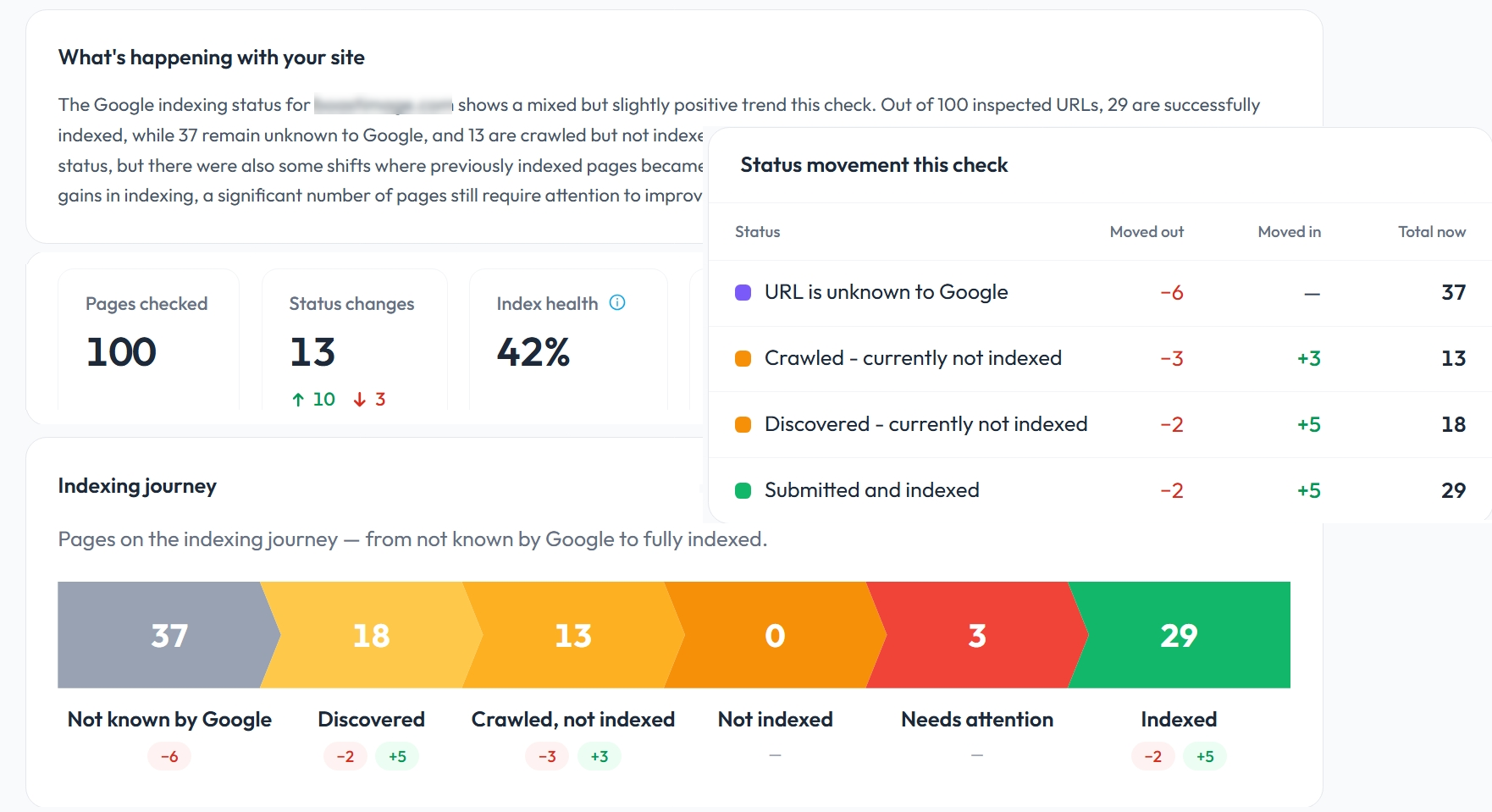
What an index status report should include
Current status
Every inspected URL with plain-English labels
Changed URLs
Improved, declined, or lateral since last run
New problems & resolved
Pages that got worse or better
Summary stats
Site-level counts and index health score
Status distribution
Breakdown by coverage state
Indexing funnel
Not known → Discovered → Crawled → Indexed
Client-ready reports automatically
Deliver PDF or CSV reports with your logo and company name. Reports generate after every review. You do not rebuild them from GSC exports.
- Reports generate after each completed inspection batch
- Co-branded with your company name and logo
- Plain-English statuses clients understand
- Optional email delivery after completed runs
- Index health score and trend in the report header
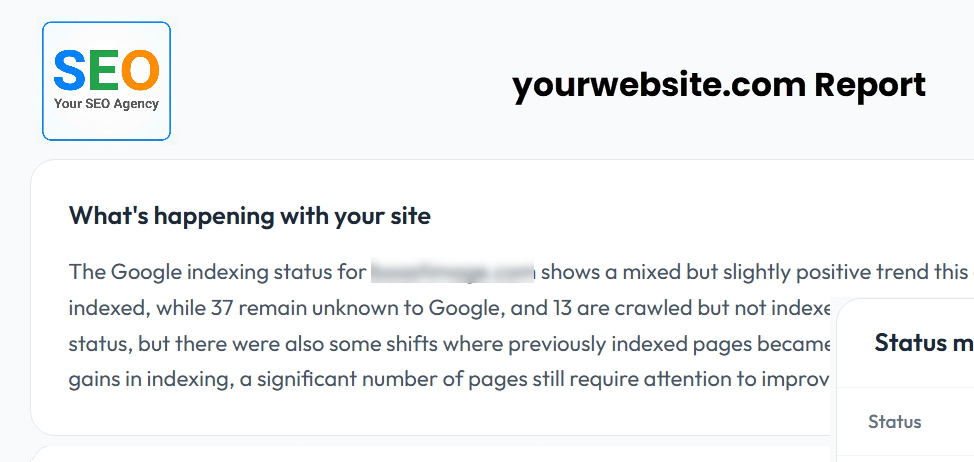
Changed URLs table
Filter and sort improved, declined, and lateral changes. Stable pages are listed separately to prove thoroughness.
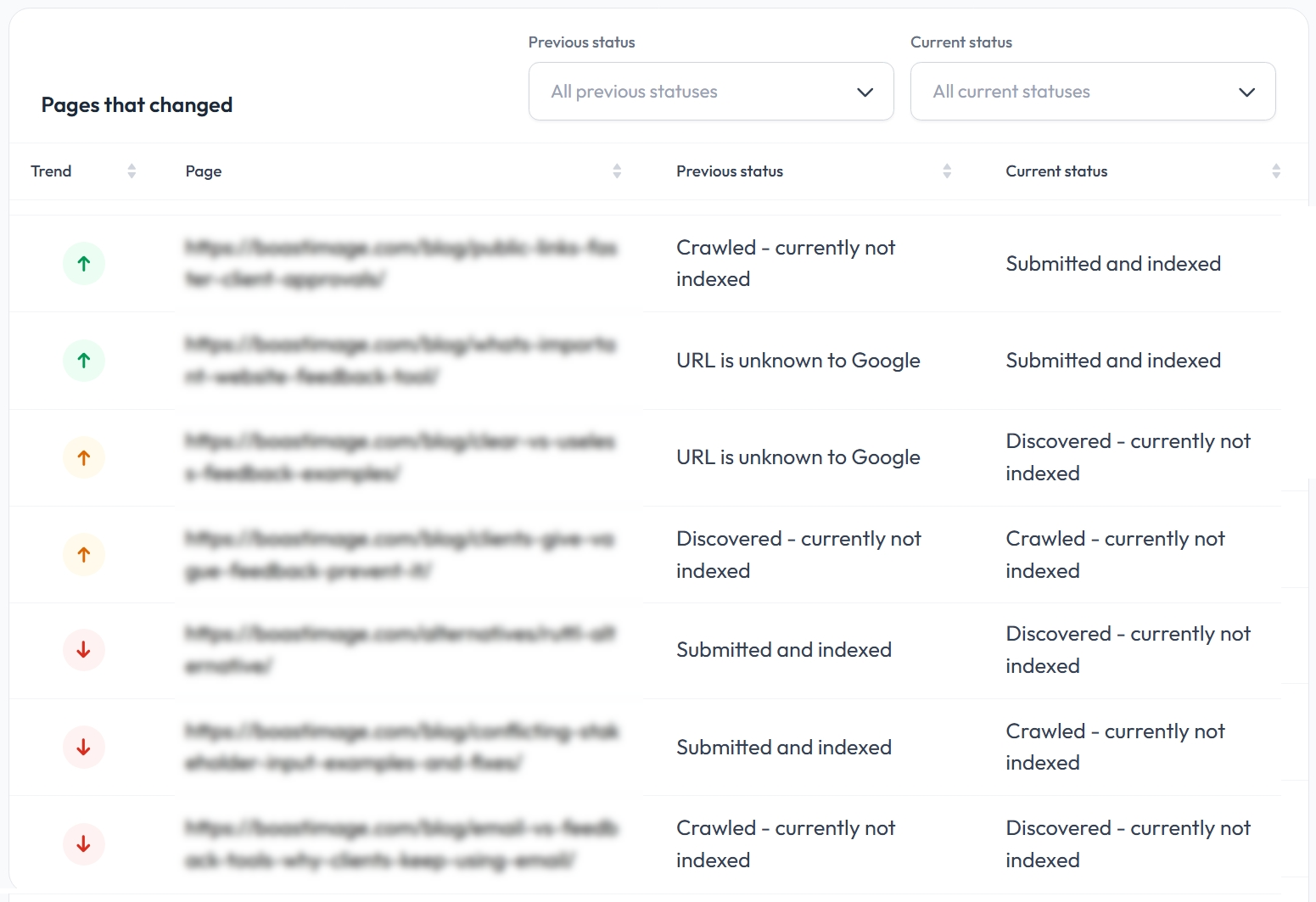
Indexing progress funnel
This is more useful than GSC's aggregate Page Indexing report. You can see how URLs move through discovery, crawl, and index states.
Export options
PDF for client delivery, CSV for analysis, JSON for downstream workflows.
Print-optimized client deliverables
CSV
Spreadsheet analysis and QA
JSON
Integrations and custom workflows
Year-round monitoring, report after every run
Subscribe for scheduled inspections and get a fresh index status report after every review, with alerts, history, and trend tracking between reviews. Learn about Google index monitoring or see pricing. Or get a one-time index report if you need a snapshot first. First report free for new accounts, then from $15. No subscription required.
Multi-site reporting: Google Search Console reporting tool
FAQ
Index status report FAQ
What is an index status report?
An index status report summarizes URL inspection results for a site or URL set. It shows which pages are indexed, which are not, what changed since the last inspection, and which URLs may need review. BoastIndex generates reports automatically after each completed review.
What should an index status report include?
A useful report includes current status for every inspected URL, URLs whose status changed, newly problematic and newly resolved pages, site-level summary stats, index health score, status distribution, and an indexing progress funnel.
How does an index status report differ from a Search Console export?
GSC exports require manual cleanup and do not show what changed since your last check. BoastIndex reports are generated automatically after scheduled inspections, use plain-English status labels, include change history, and can be co-branded for client delivery.
Can index status reports show what changed since the last inspection?
Yes. Every report includes a changed URLs section showing pages that improved, declined, or moved laterally between statuses since the previous inspection run, plus counts for new problems and resolved issues.
Can I use index status reports for clients or stakeholders?
Yes. Reports are client-ready with your company name and logo, plain-English statuses, and export options in PDF, CSV, or JSON. Agencies use them to prove indexing work and show clients which pages need attention.
What does it mean when a report shows newly not indexed URLs?
These are pages that were indexed (or in a better state) at the last inspection but are now reported as not indexed or in a worse coverage state. They usually deserve immediate review. Check for noindex tags, canonical changes, or quality signals.
Can reports separate indexed, not indexed, changed, and needs-review URLs?
Yes. BoastIndex reports break down URLs by current status, highlight changed pages, and flag URLs that need review based on coverage state and status transitions.
Does an index status report explain why Google did not index a page?
Reports show what Google reports: coverage state, canonical, crawl time, and status labels. They do not guarantee a root-cause diagnosis, but they make it easier to spot patterns and prioritize follow-up using BoastIndex resource guides and GSC data.
Create your first index status report
BoastIndex tracks Search Console index status over time, alerts you when important URLs change, and creates index status reports your team can act on.