
Google index monitoring
Monitor What Google Reports for Every Important URL
BoastIndex tracks Google index status for the URLs that matter, stores each change, and shows which pages need attention now.
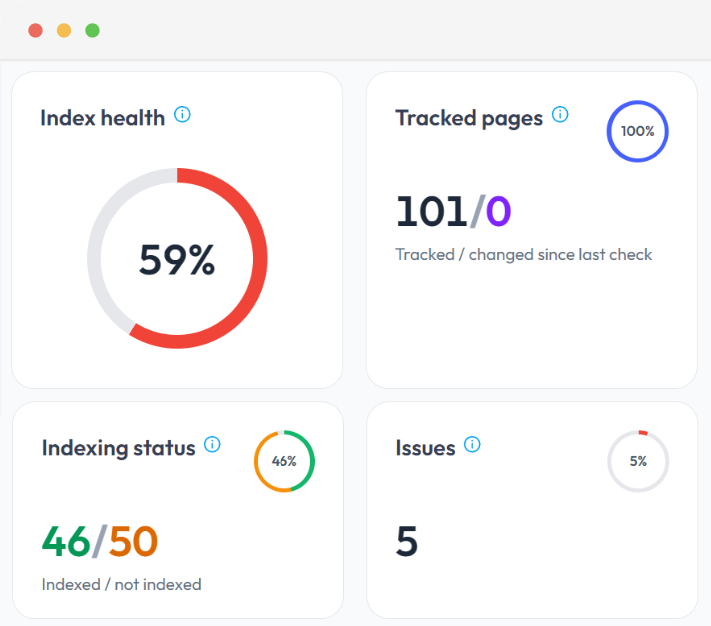
Index health
83 / 100
Tracked URLs
1,284
Problem pages
46
Why one Search Console check is not enough
Index status changes. Google Search Console only shows the latest snapshot, so a single check misses what moved last week.
GSC shows today, not last week
Without history you cannot tell if a page is improving, stuck, or getting worse.
Pages drop without notice
Important URLs can become not indexed after a deploy, plugin change, or canonical shift. By the time traffic falls, the damage is already done.
Scale breaks manual checks
Teams cannot run page index monitoring across hundreds of URLs inside Search Console.
Explore common issues in our Google indexing issues hub.
Read indexing status without the GSC jargon
An index health score and plain status labels make Search Console coverage states readable, so your team can see where things stand quickly.
- Index health score (0-100) with trend over time
- Plain-English statuses: Indexed, Not indexed, Crawled not indexed, Discovered, Noindex, Blocked
- Summary KPIs: tracked pages, indexed vs not indexed, problem count
GSC coverage label
Crawled - currently not indexed
BoastIndex status
Crawled, not indexed · Needs review
Focus on what needs fixing
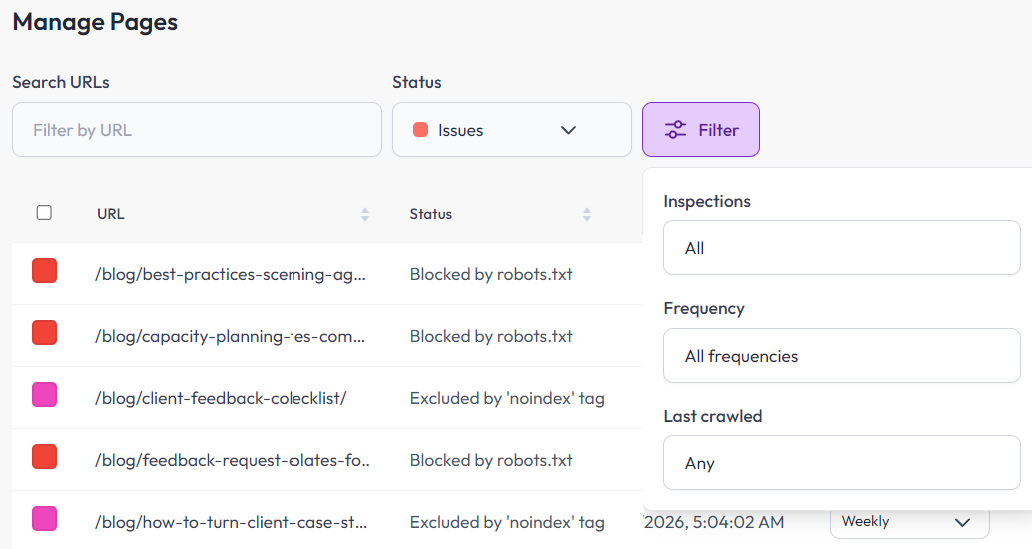
Filter to problem pages, paused URLs, and recent changes so you spend time fixing issues instead of digging through spreadsheets.
- Problem pages widget for non-indexed URLs that matter
- Advanced filters by status, frequency, and last crawled
- Recent status updates from the latest completed check
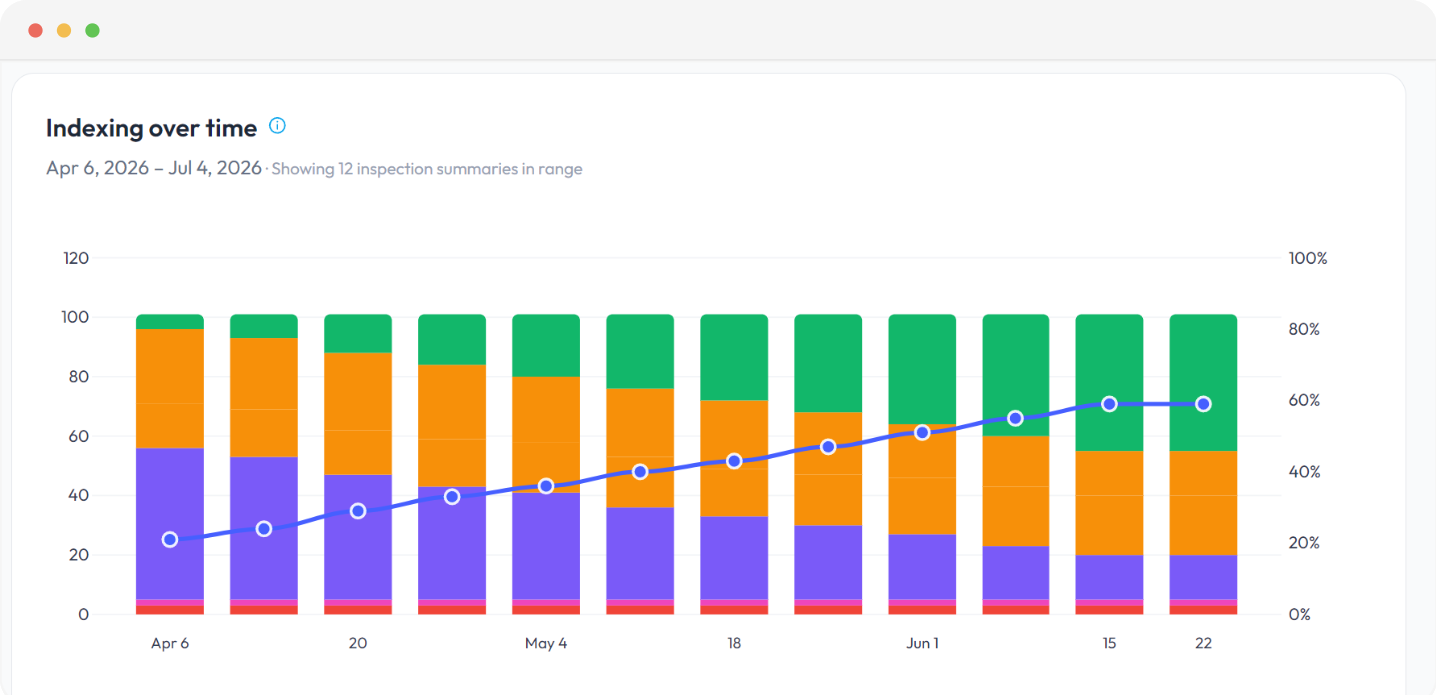
See how indexing changes over time
Track trends and history per page and across your site, not only the latest snapshot. History also makes GSC mismatches easier to diagnose.
Per-page inspection history
Jul 8, 2026
Indexed ← Discovered, not indexed
Jul 1, 2026
Discovered - currently not indexed
Jun 24, 2026
Discovered - currently not indexed
Get notified when index status changes
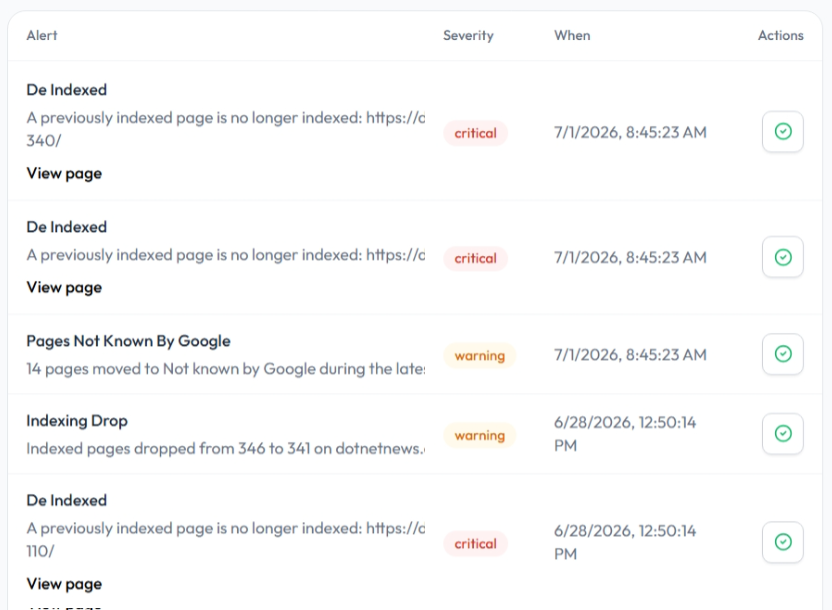
Get notified when pages drop out of the index, get blocked, or hit limits, before a client message or traffic chart is the first signal.
- Page de-indexed or blocked
- Important URLs become noindexed
- Indexing drop detected across a batch
- Search Console disconnected
- Inspection allowance nearly exhausted
How index monitoring works
Three steps to recurring Google index checks. Most teams are monitoring their first URLs within a few minutes.
-
Step 1
Connect Search Console
Read-only OAuth. BoastIndex does not change your site or GSC settings.
-
Step 2
Import URLs
Pull from a sitemap, upload a CSV, paste a list, or add pages by hand.
-
Step 3
Inspections run on schedule
Daily, weekly, or monthly checks with history, alerts, and reports.
Full setup detail on the Google URL Inspection Tool page.
Reports after every check run
Every completed inspection batch produces an index status report. See index status reports or preview the sample report.
Related product pages
Chrome extension
See Google index status on the page you are viewing
If you already monitor URLs in BoastIndex, the Chrome extension shows indexed, not indexed, discovered, or crawled for the current tab. One click from the toolbar.
Requires a BoastIndex account with monitored URLs.
FAQ
Google index monitoring FAQ
What is Google index monitoring?
Google index monitoring tracks what Google Search Console reports about your URLs over time: indexed, not indexed, crawled but not indexed, discovered, canonicalized, or blocked. BoastIndex runs scheduled URL inspections, records status history, sends alerts, and generates reports so teams can see what changed.
Why should index status be monitored over time?
A single GSC check only shows today's status. Pages can drop out of the index, get noindexed accidentally, or move between coverage states without anyone noticing. Monitoring over time surfaces those changes while you can still act on them, before traffic or client deliverables take the hit.
What kinds of index status changes should I watch for?
Important changes include indexed → not indexed, newly discovered URLs that stay stuck, crawled - currently not indexed that never resolve, accidental noindex tags, canonical mismatches, and indexing drops across batches of URLs.
How often should Google index status be checked?
Match cadence to URL importance. Critical pages may need daily or weekly checks. Stable content may only need monthly monitoring. BoastIndex supports daily, weekly, and monthly inspection schedules with quota-aware planning.
Can BoastIndex alert me when important URLs change index status?
Yes. BoastIndex sends alerts when pages are de-indexed or blocked, when important URLs become noindexed, when indexing drops are detected across a batch, when Search Console disconnects, or when your inspection allowance is nearly exhausted.
How is Google index monitoring different from a one-time SEO audit?
An audit gives you a snapshot. Index monitoring runs on a schedule, records every status change, and keeps watching after the audit is done. BoastIndex is designed for ongoing operational monitoring, not a one-time crawl report.
Can BoastIndex monitor only my most important pages?
Yes. You choose which URLs to track. Import from a sitemap and filter, upload a CSV of priority pages, or add URLs manually. You can set different inspection frequencies for different URL sets.
Does BoastIndex guarantee that monitored pages will be indexed?
No. BoastIndex monitors what Google reports and does not guarantee indexing. It helps you identify URLs that need review, track whether fixes worked, and spot regressions when they show up in Search Console data.
Start Google index monitoring
Get alerts when important URLs become not indexed, before traffic or a client message is the first signal.